Back to portfolio
recykalEPR Next · Recycler Portal
RecykalEPR compliance for recyclers

152 days of paperwork.
Now 19.

I redesigned how recyclers log every truck of plastic, prove where it came from and turn it into credit for brands.

RoleProduct designerUsersRecyclers and ops teamsPlatformWeb appTimelineOct 2024 to Feb 2025Multi phase rollout
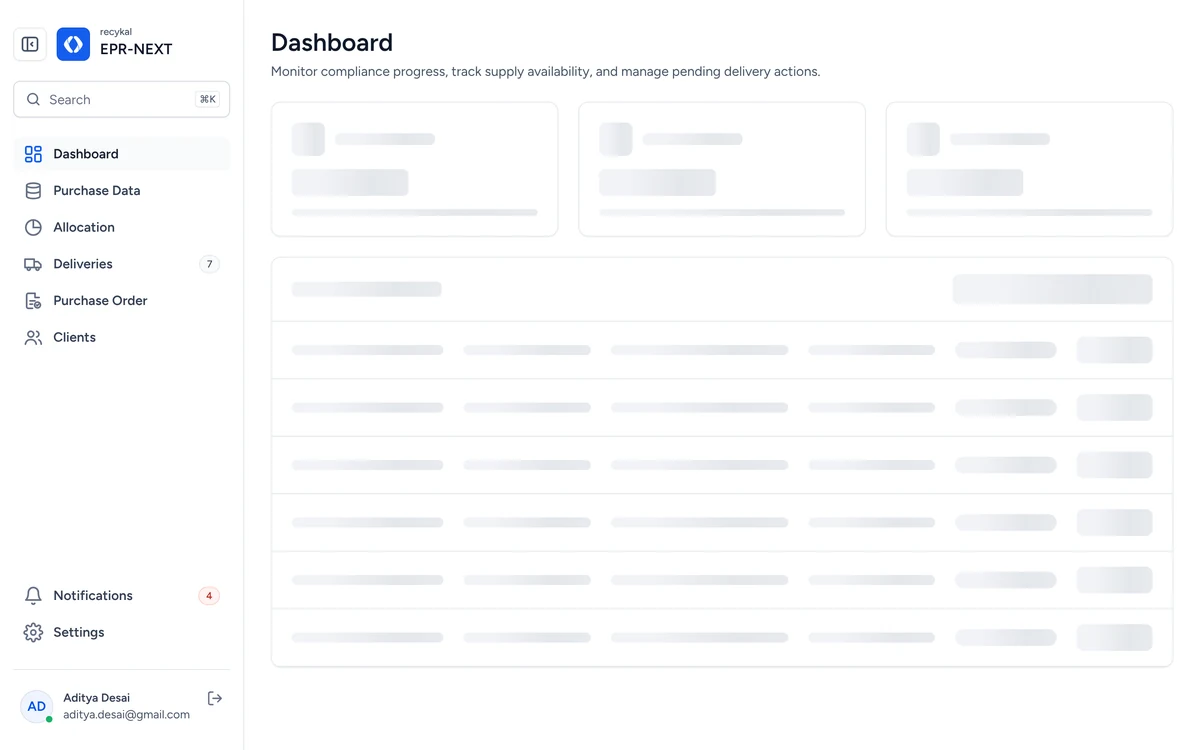
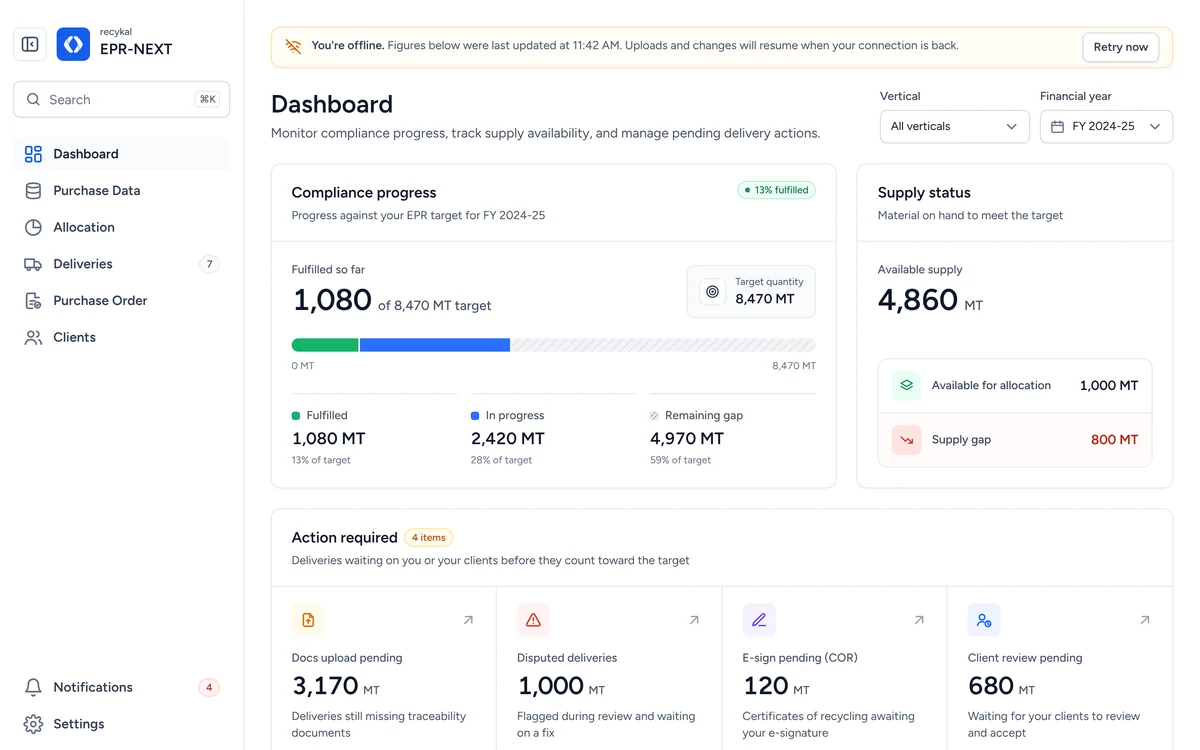
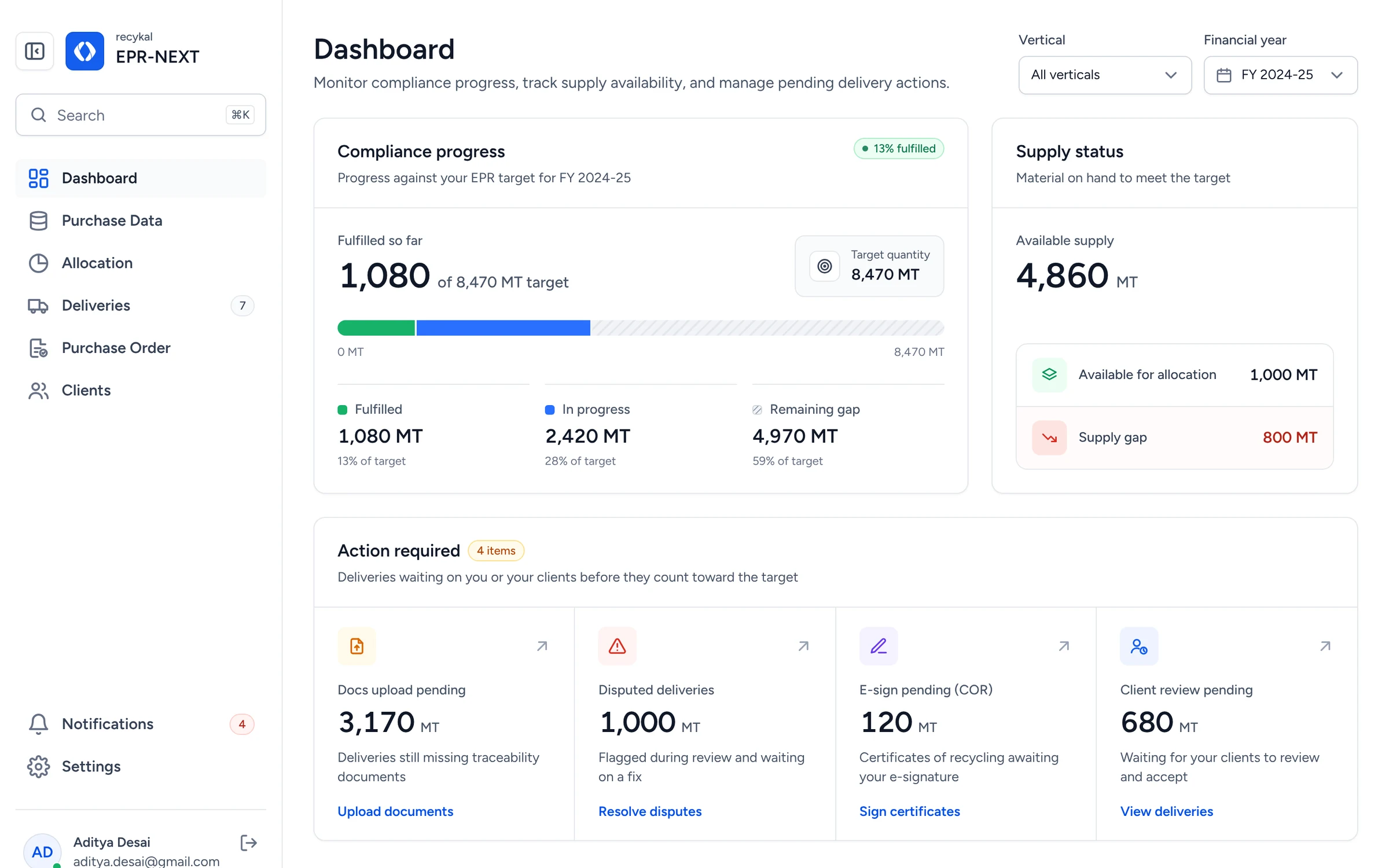
EPR Next dashboard showing compliance progress and pending actions
The outcome

Less of everything that slowed recyclers down.

Same recycler team, before and after
Days to process one brand, per year133 days back
19152
Before152 days
After19 days
10 people · 8 hrs a day · about 100,000 MT of demand
Time per delivery
8 min45 min
37 min saved on every truck
Fields to fill
1236
24 fields removed or derived
Documents per truck11 fewer, uploaded in any order
415
01 · Context

Every truckload is a compliance record.

Brands owe recycling targets under India's Extended Producer Responsibility rules. Recyclers prove each tonne, truck by truck.

Step 1BrandOwes a recycling target for the plastic it sells.
Step 2Purchase orderBrand asks a recycler to fulfil part of it.
Step 3DeliveryEach truck of waste becomes one record.
Step 44 documentsProof the material really moved.
Step 5CertificateApproved tonnes count toward the brand target.

EPR Next is where steps three to five happen, for plastic, e-waste, tyres and metal.

02 · The problem

36 fields. 15 documents. Per truck. Thousands of trucks a month.

Typing the same data twiceRepeat entry across forms caused errors.
Too many requirements36 data points and 15 documents per truck.
Documents everywhereShared over email and zip folders.
Excel ignoredTeams lived in spreadsheets. The system did not.
No view of demandHard to see what each brand still needed.
No e-way bill linkTransport details were copied by hand.
The math behind the wall

One brand. 152 days of data entry.

A back of the envelope count of the old workflow made the brief obvious. The system, not the team, was the bottleneck.

100,000 MTAvg. brand demand in a year
÷
6 to 8 MTAverage truck load
=
12,500Deliveries to track
×
45 to 60 minTime per delivery
=
12,500 hrsTotal effort
÷
10 × 8 hrsPeople × hours a day
≈
152 daysOf data entry per brand
Before · per brand
152
After · same team19working days to process a brand's yearly demand
Every square is one working day19 needed now133 given back
10 people · 8 hours a day · about 100,000 MT of brand demand a year
03 · Research

We watched the work before redrawing it.

12+In-depth interviewsRecyclers from small yards to large plants.
On siteShadowing ops teamsPurchase orders, trucks and paperwork, live.
End to endWorkflow mappingEvery tool and handoff, from purchase order to certificate.
Insight 01

“Our whole day already runs on Excel.”

So bulk upload starts from the sheet they already keep.
Insight 02

“Bills come first, weighbridge slips come days later.”

So documents upload in any order, never in a fixed sequence.
Insight 03

“If the system guesses, I want to see where.”

So automation shows its confidence and stays editable.
04 · First attempt

Our first version just moved the pain online.

One delivery at a time. One document at a time. Same 36 fields. Workload barely moved.

The lesson

Digitizing is not simplifying.

The system had to remove work, not host it.

So we split it in two. Cut first, automate second.

Phase 1Reduce the work
Fields per delivery36 12
Documents per delivery15 4
Deliveries per upload1 Whole sheet
Phase 2Automate what's left
E-way bill integrationTransport details fetched with the recycler's consent.
OCR document taggingUploads are read, typed and matched to the right delivery.
Operational dashboardTargets, supply and blockers in one view.
05 · Key flows

Five flows carry the whole product.

Shown as they ship. Read the screens, skim the notes.

01

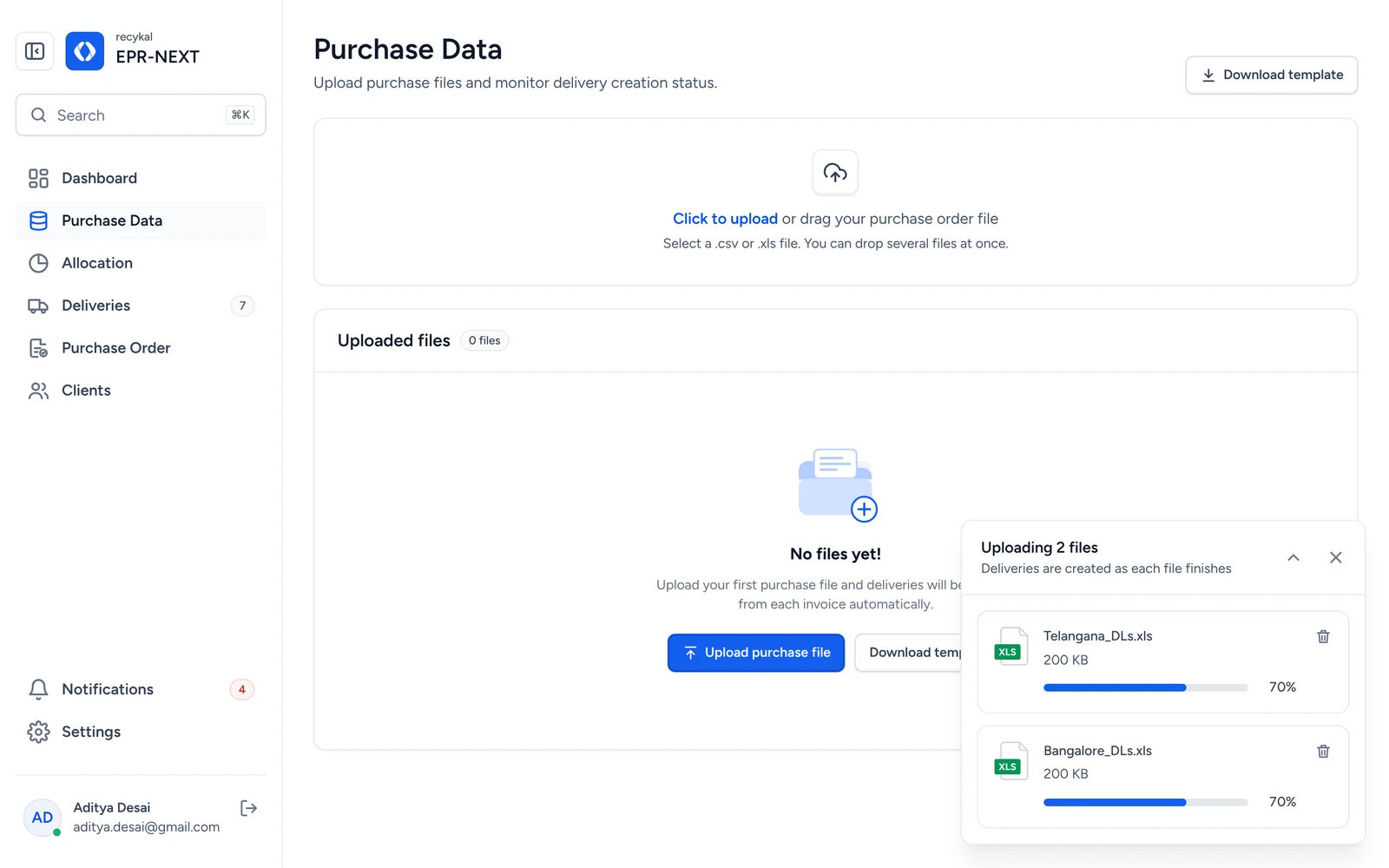
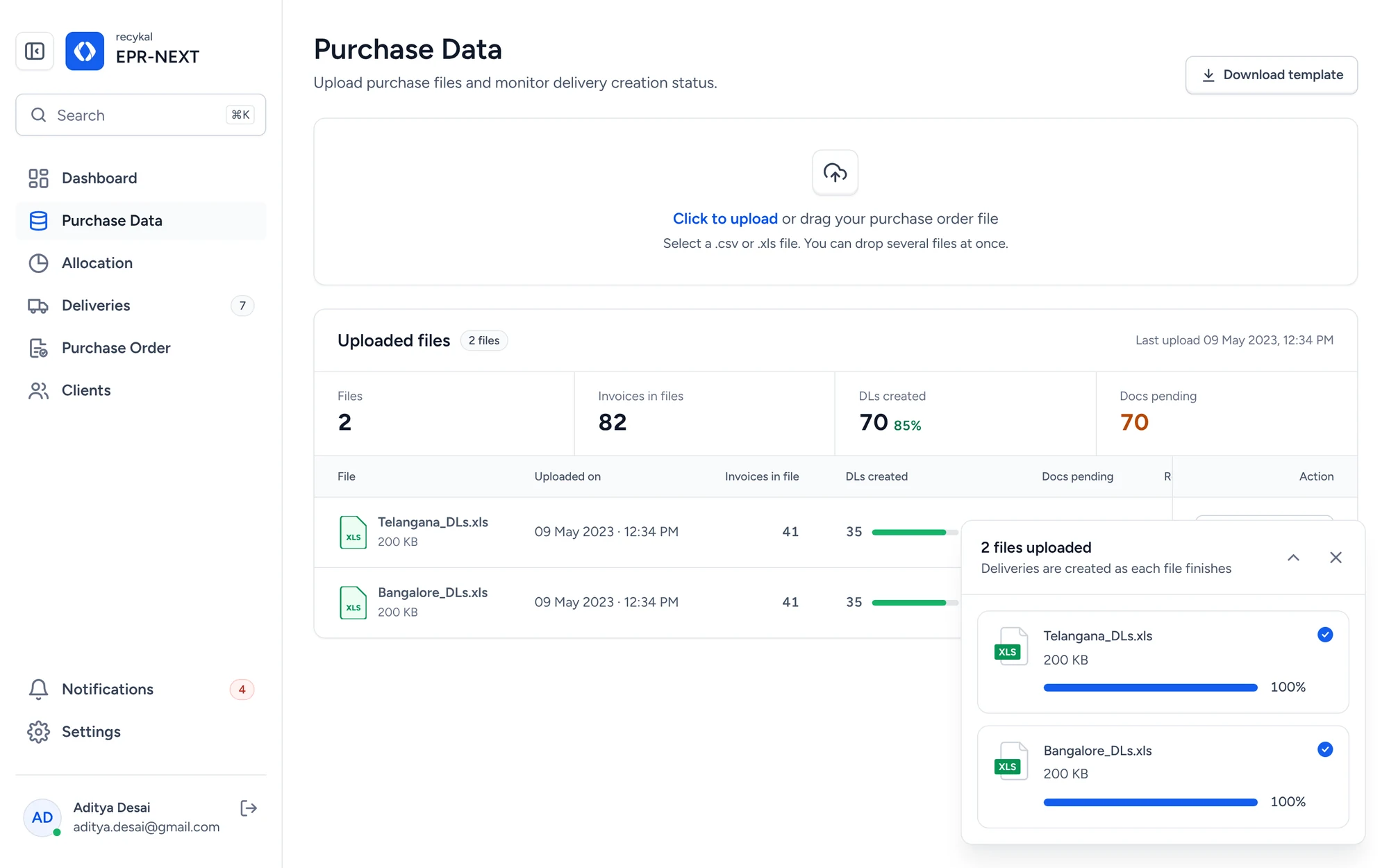
One spreadsheet in. Dozens of deliveries out.

Bulk upload turns each invoice row into a delivery.
Purchase Data
Purchase data with uploaded files and delivery counts
Drop several files at once
1
Drop several files at onceProgress per file, so nothing feels stuck.
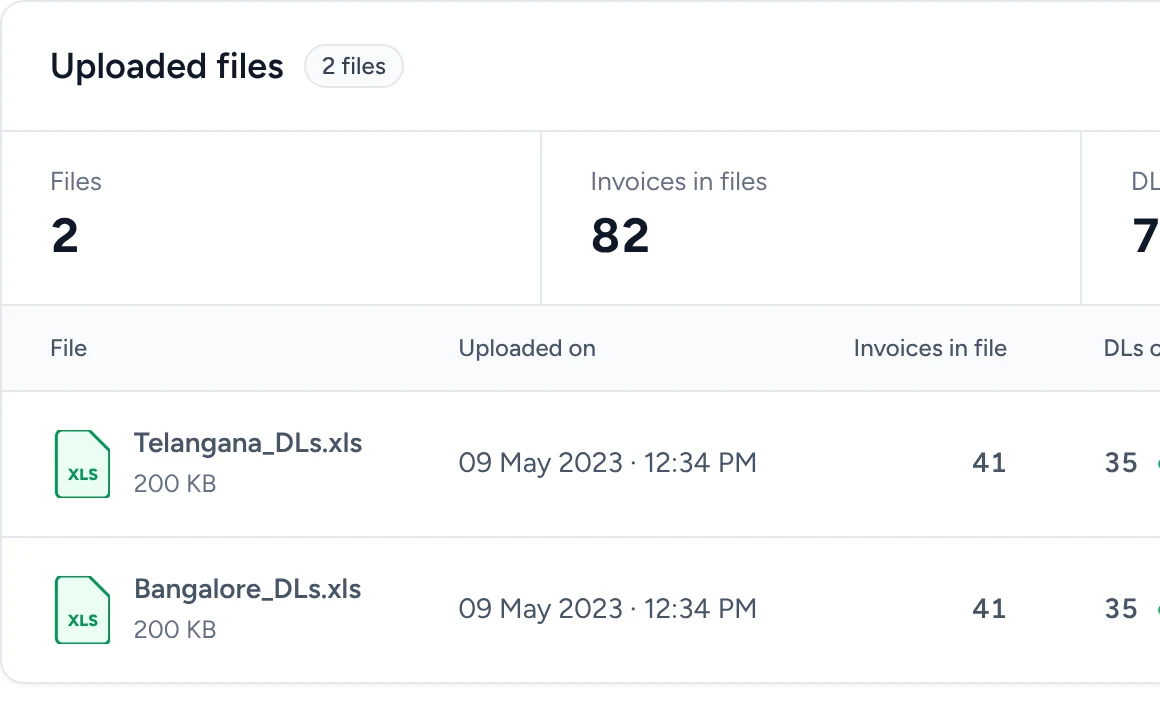
See what each file created
2
See what each file createdInvoices found, deliveries created, documents pending.
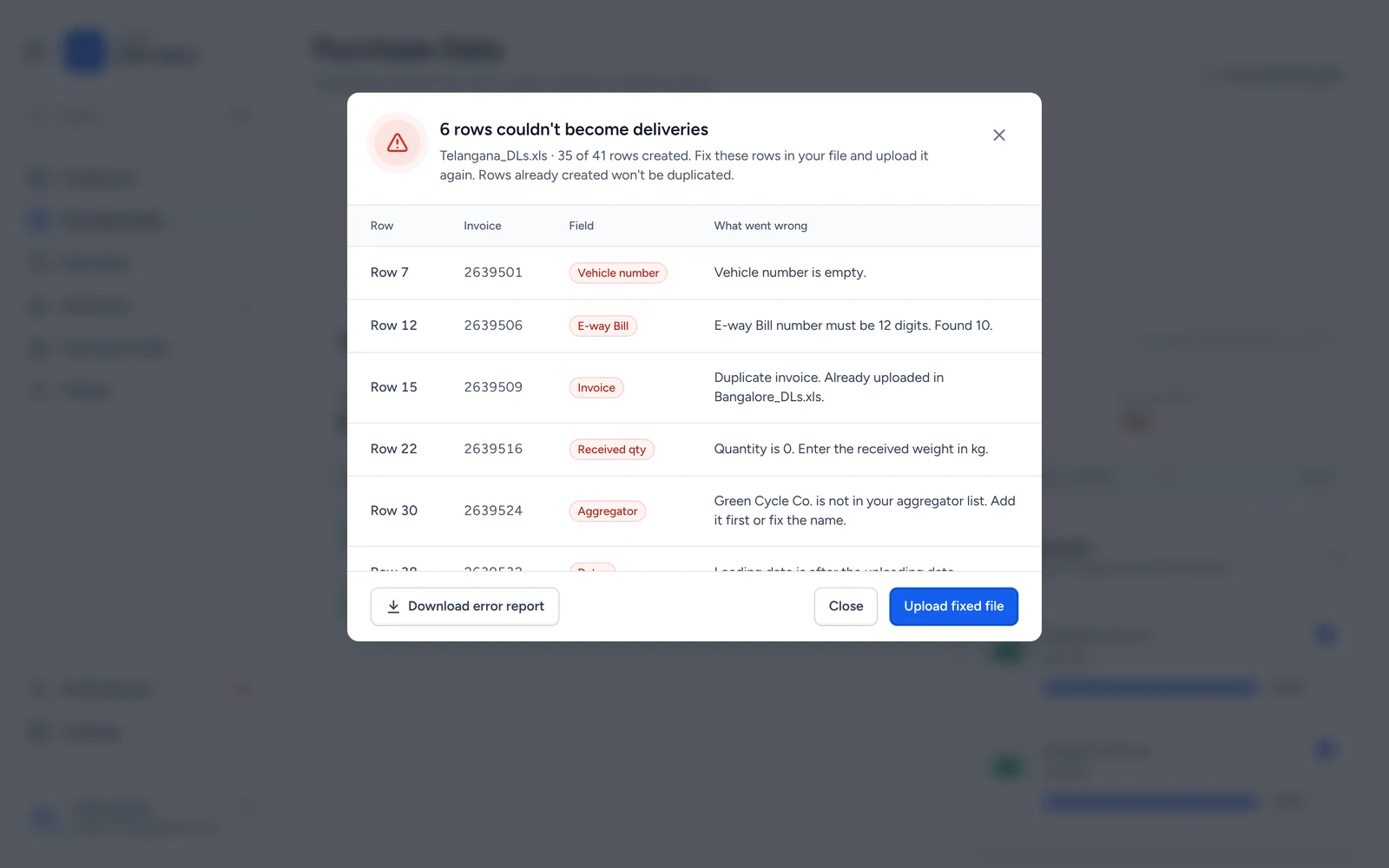
Fix only the rows that failed
3
Fix only the rows that failedEach row says what went wrong and where.
02

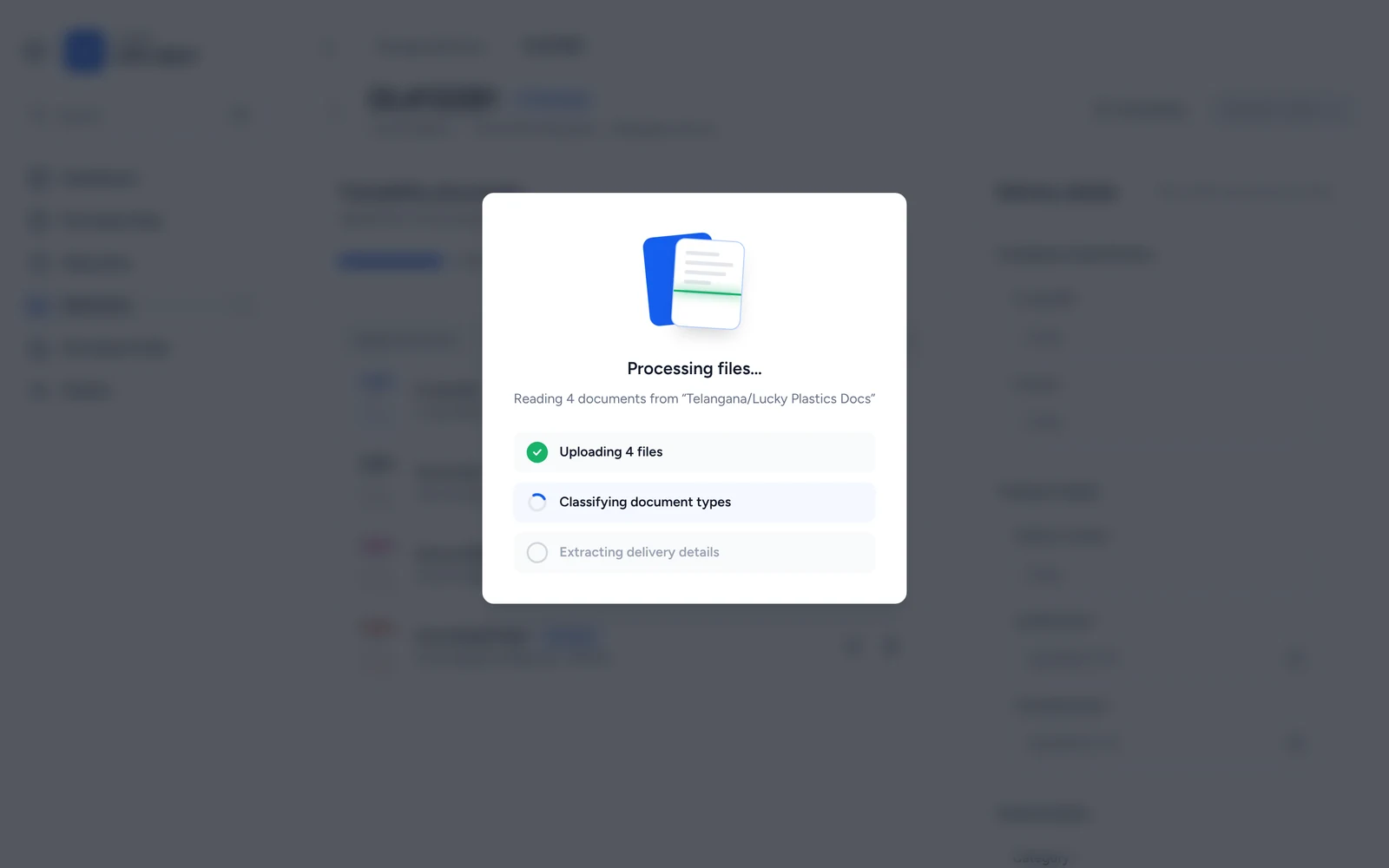
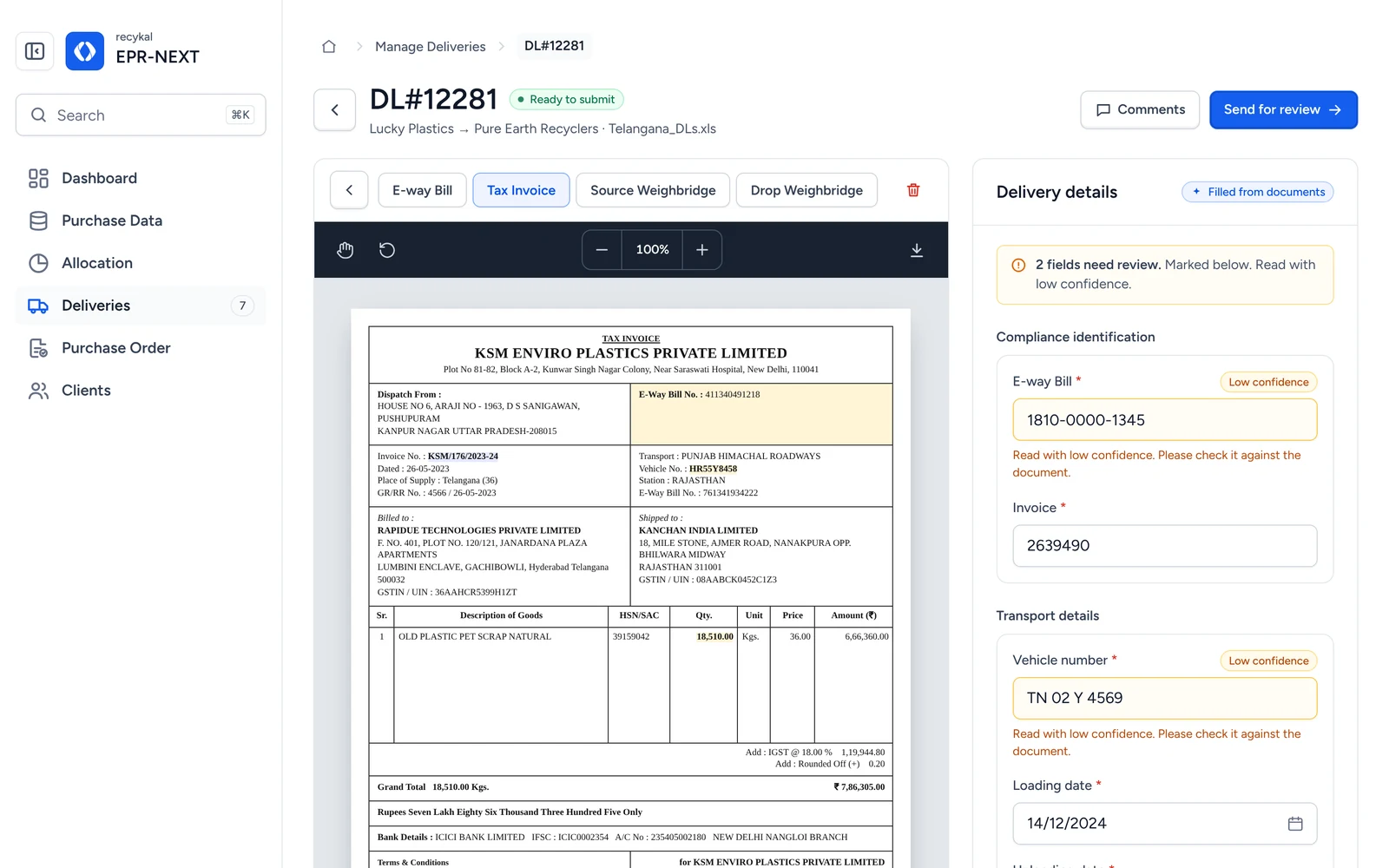
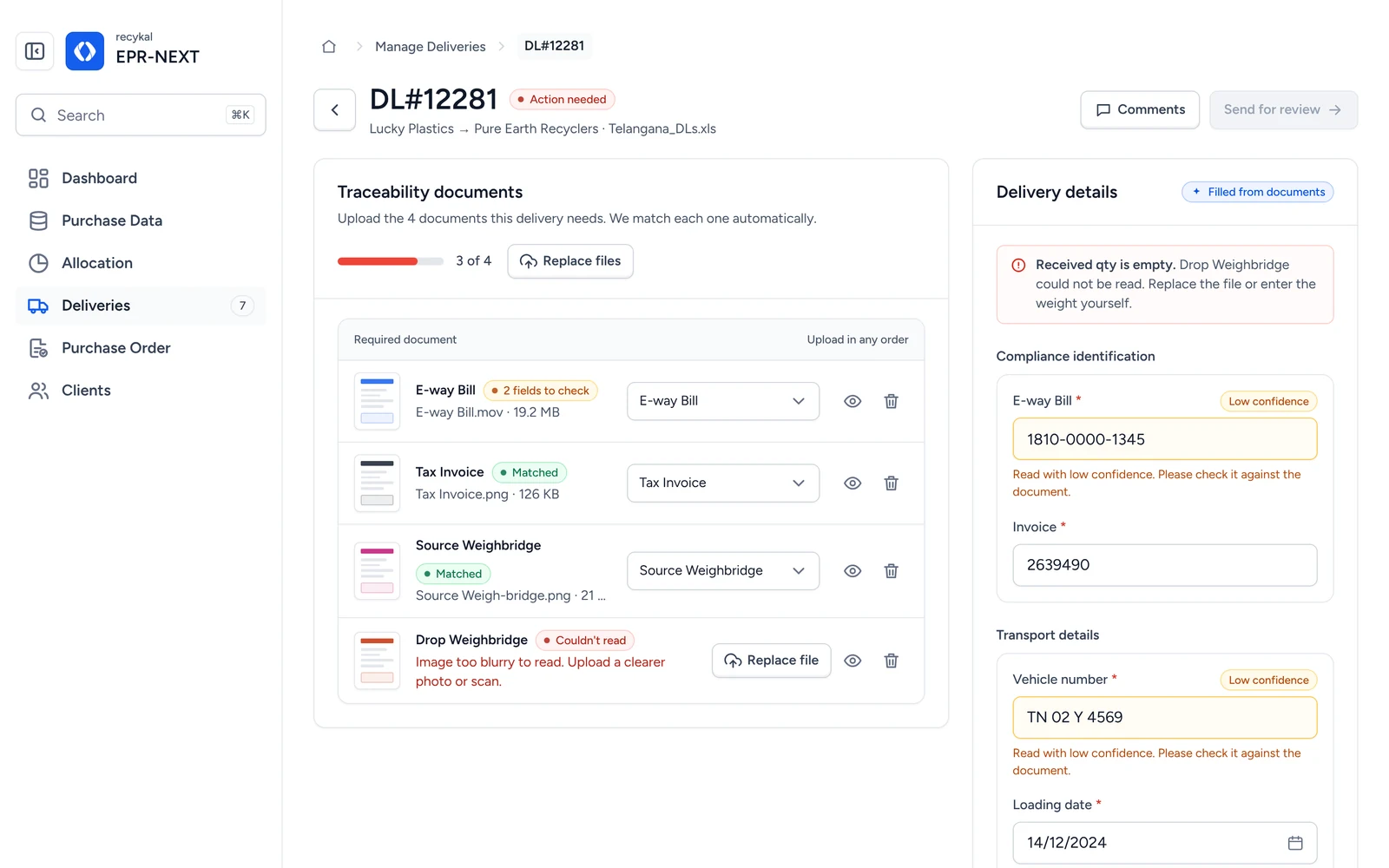
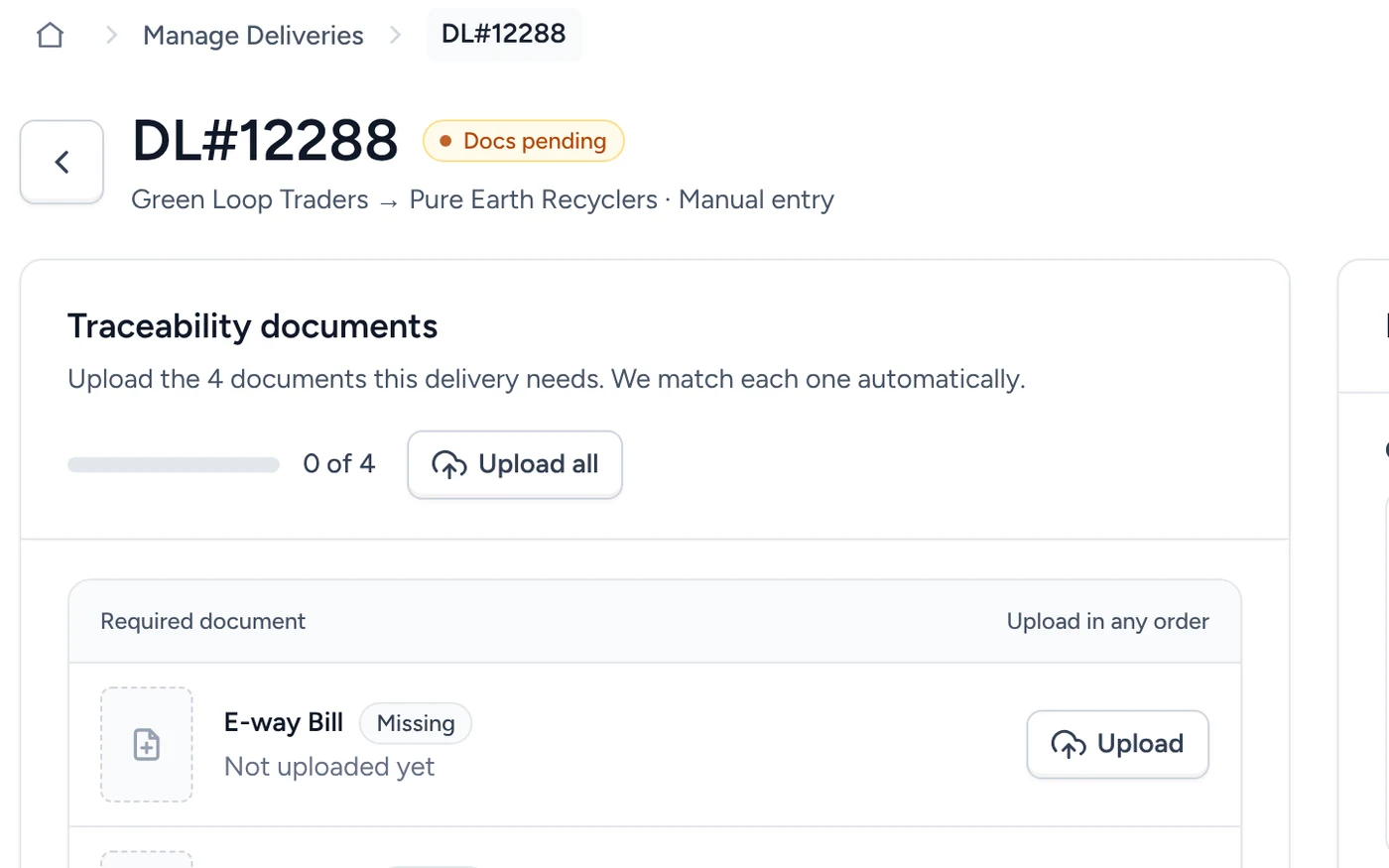
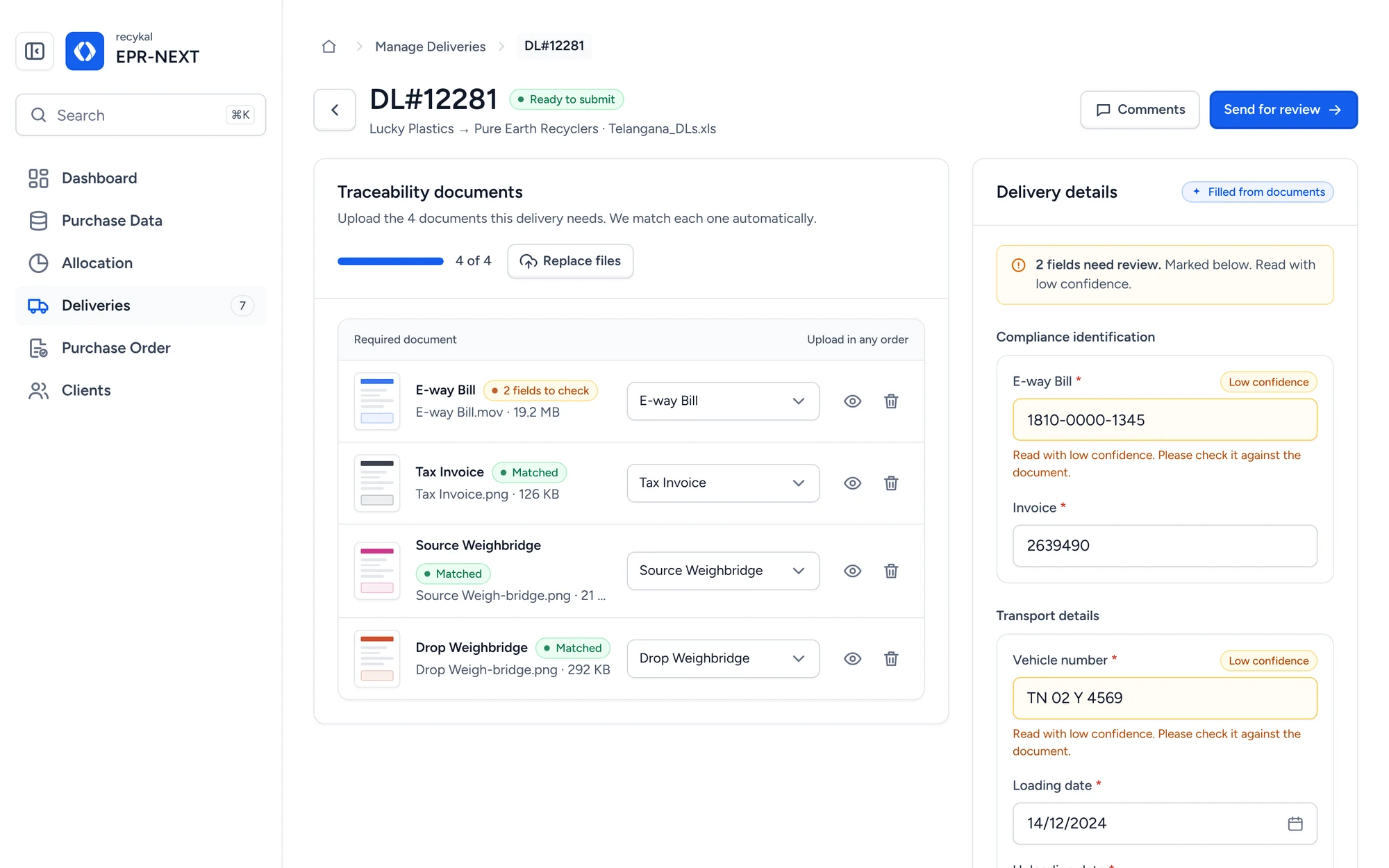
Drop four documents. We fill the form.

OCR reads each document, tags it and fills the delivery.
Delivery detail
Delivery detail with documents matched and fields filled from documents
Upload in any order
1
Upload in any orderFiles are classified and matched as they land.
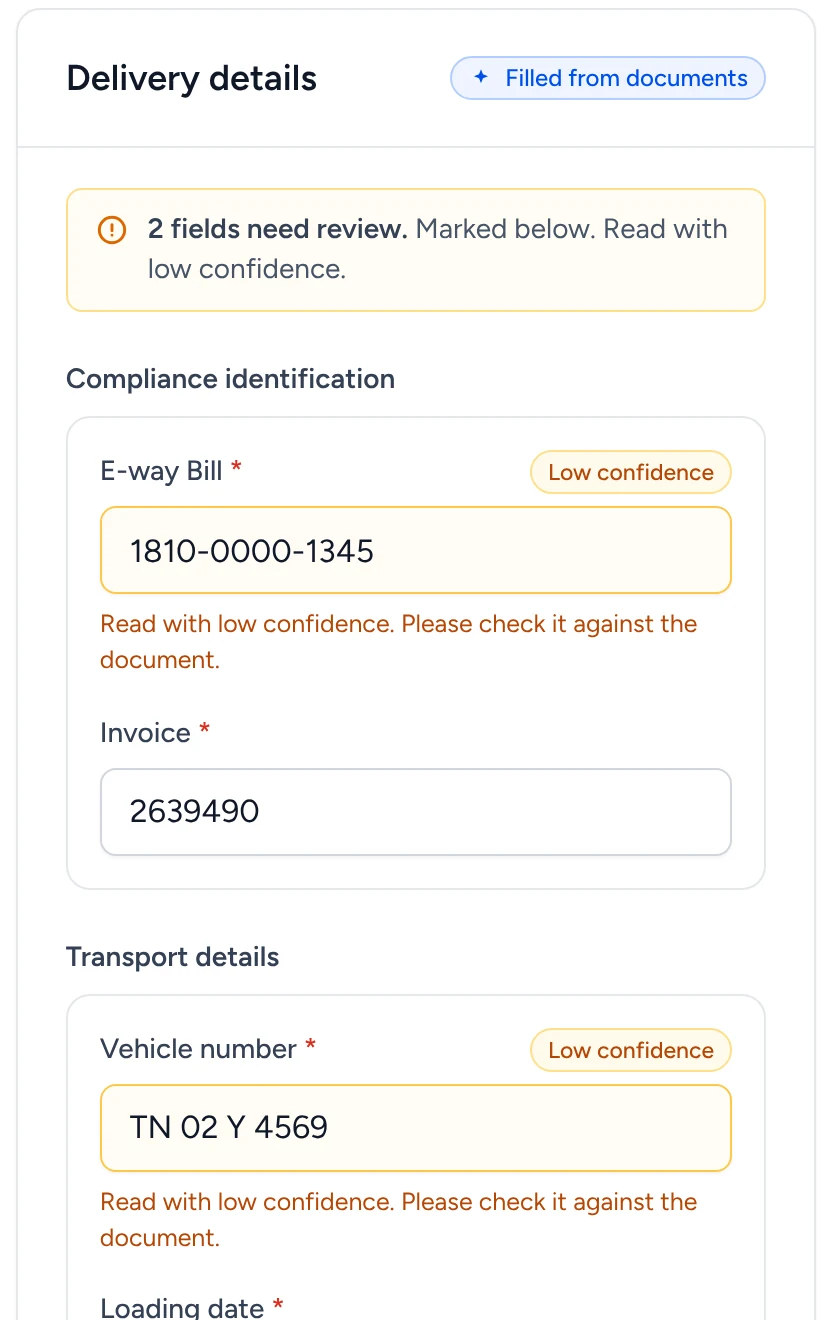
Check against the source
2
Check against the sourceRead values sit beside the document itself.
Recover when a scan is bad
3
Recover when a scan is badReplace the file or type the value yourself.
03

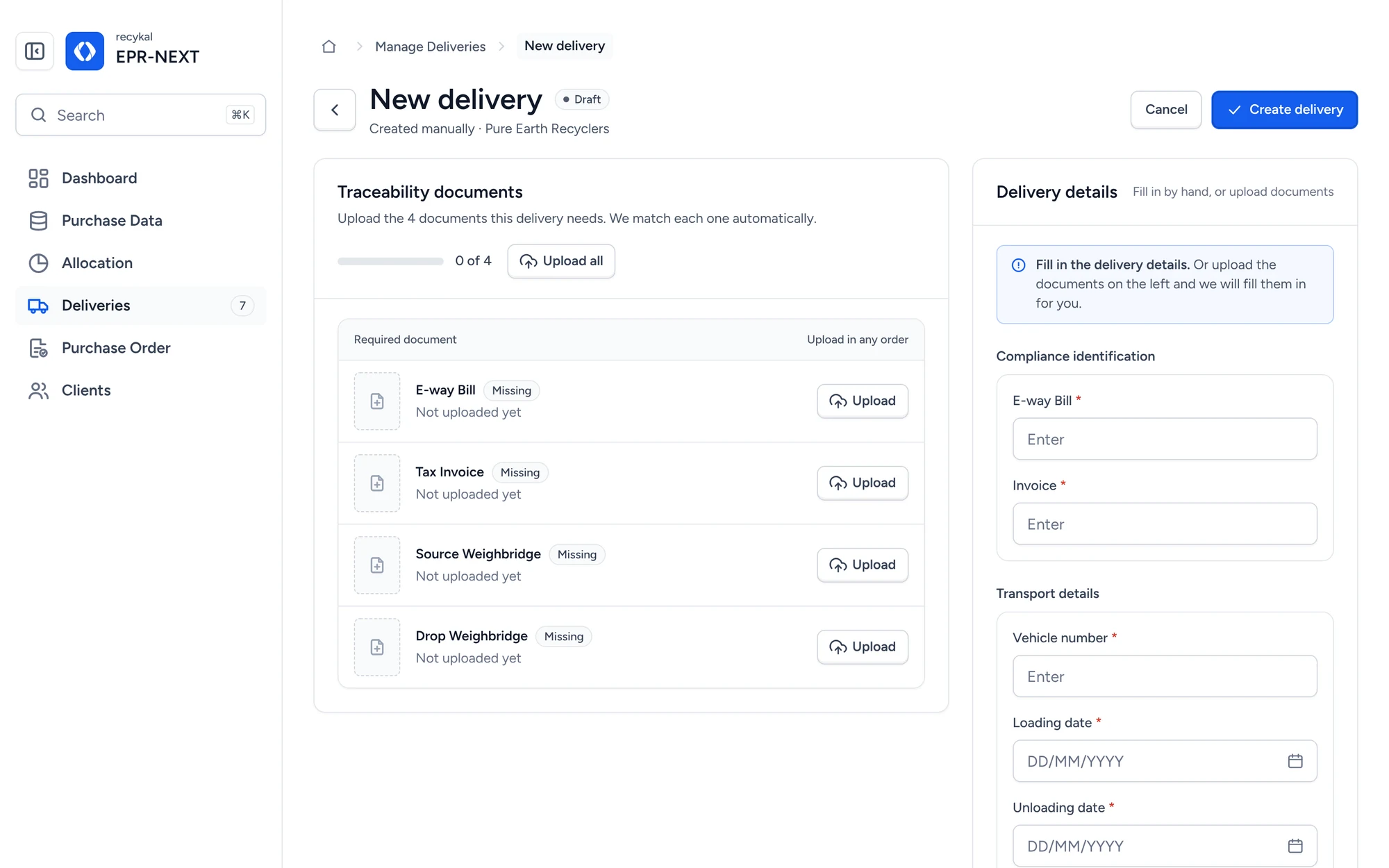
No spreadsheet? Add a delivery by hand.

A short form that saves as a draft and checks itself.
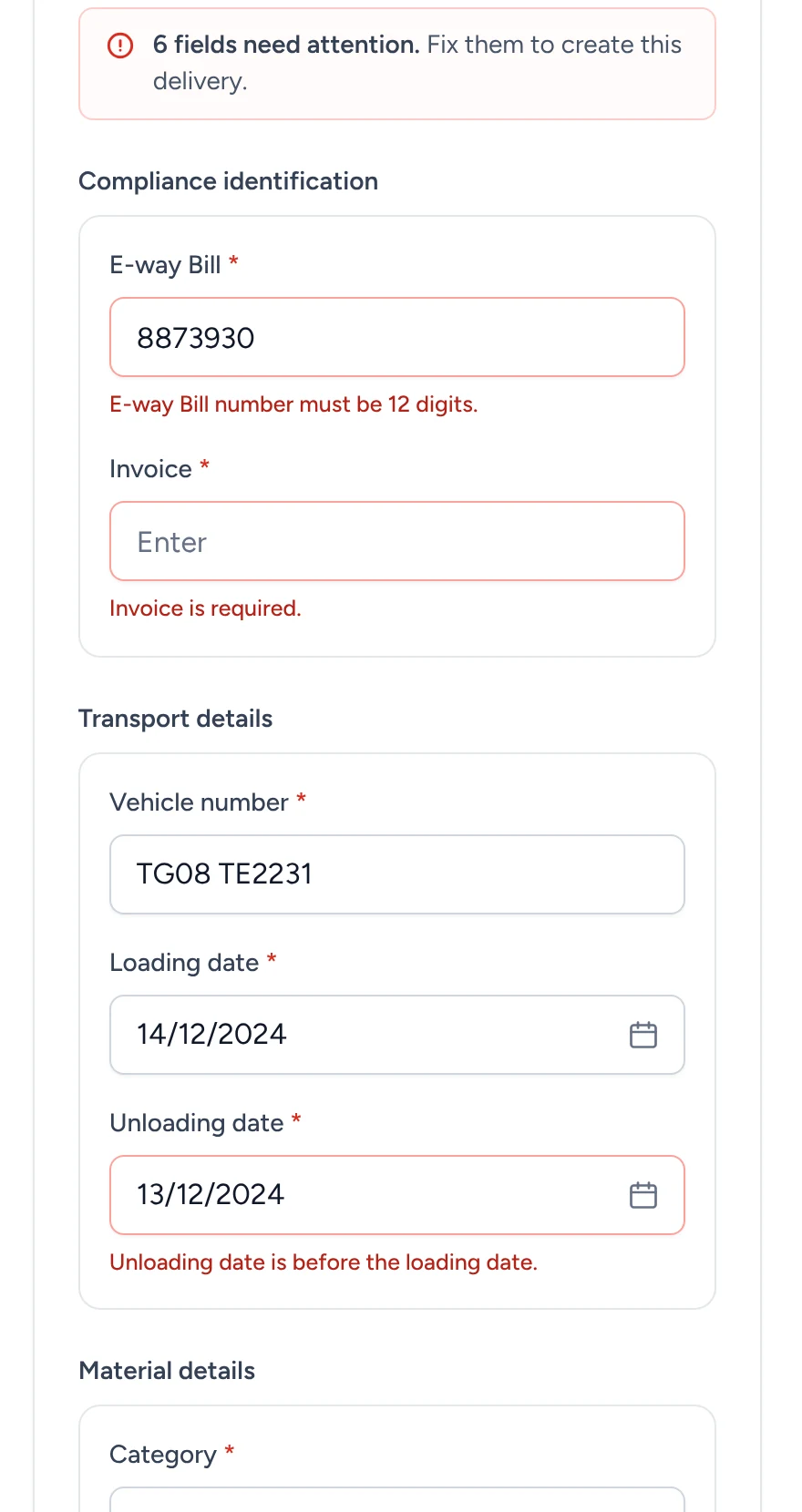
Create delivery
New delivery form with traceability documents and delivery details
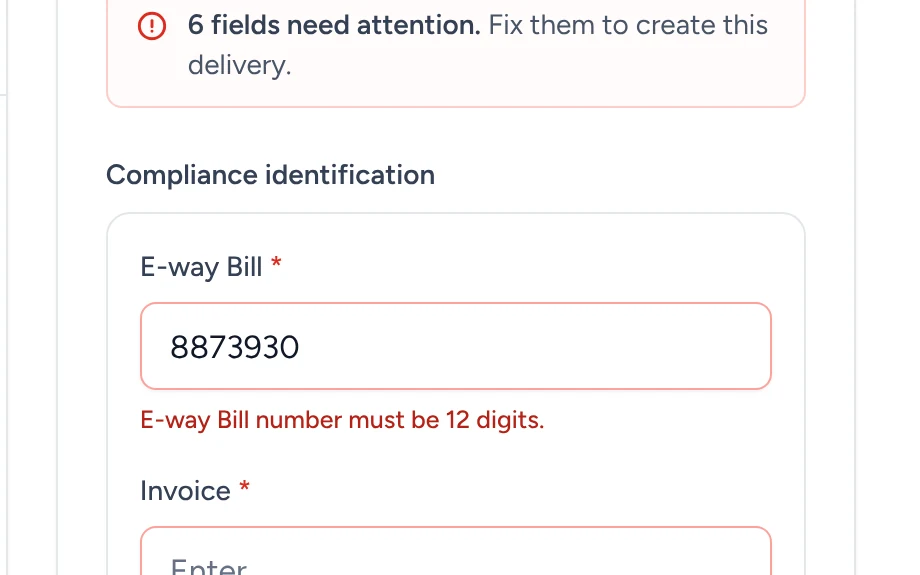
Errors that name the fix
1
Errors that name the fixFormat, missing values and date order, inline.
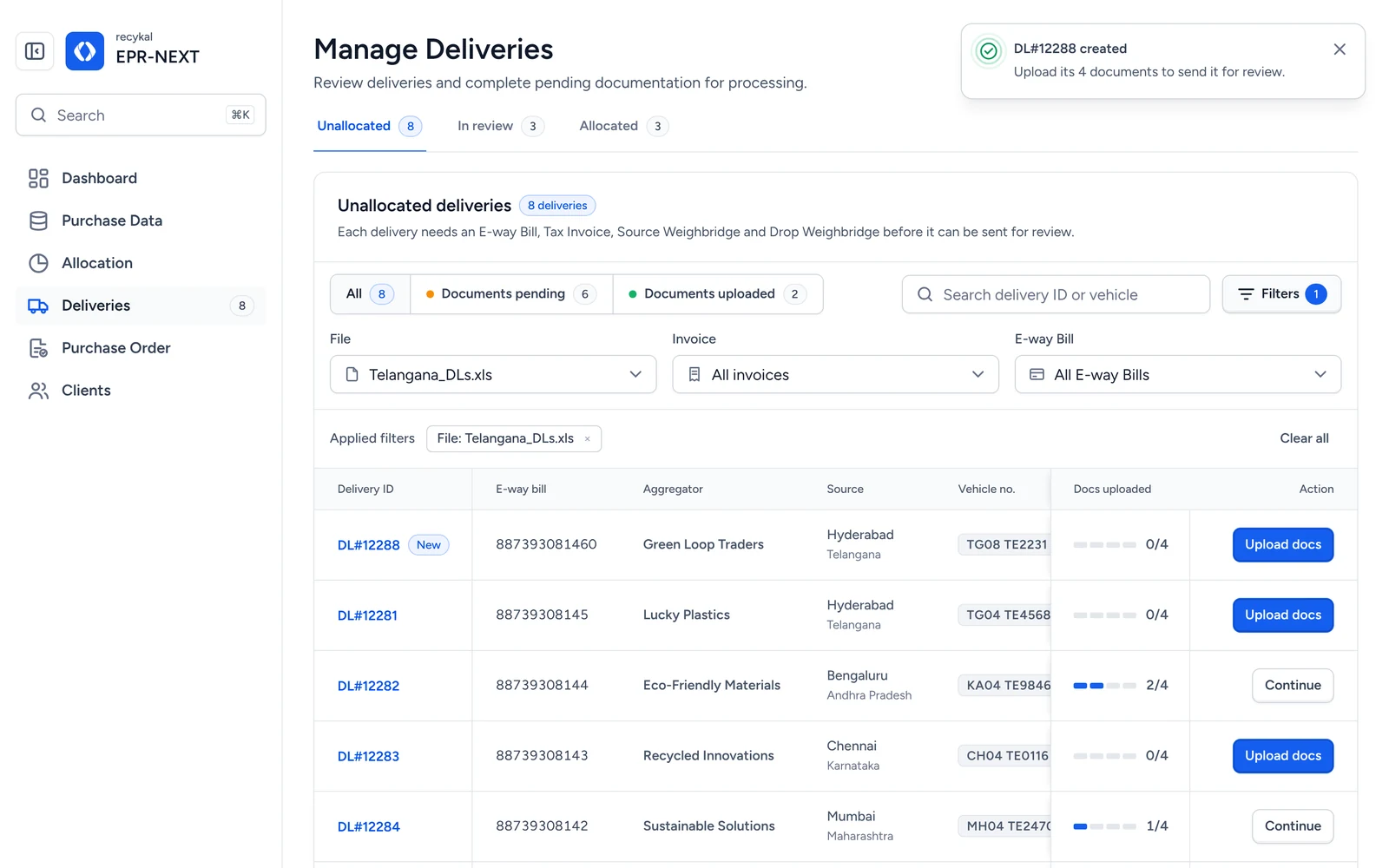
Lands in the list as New
2
Lands in the list as NewA toast confirms it and points to the next step.
Documents can come later
3
Documents can come laterCreate now, upload the 4 files when they arrive.
04

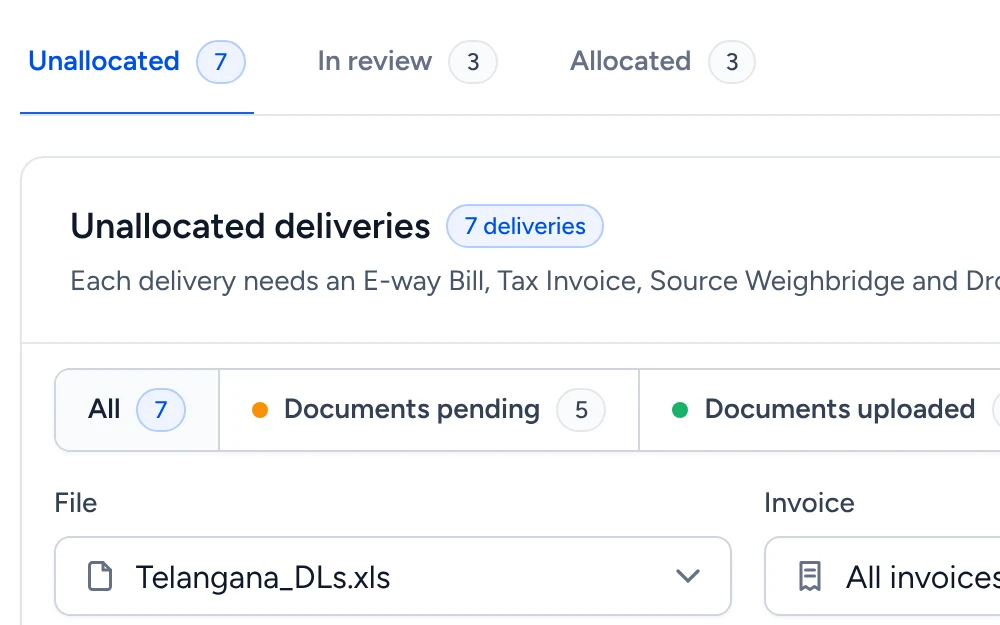
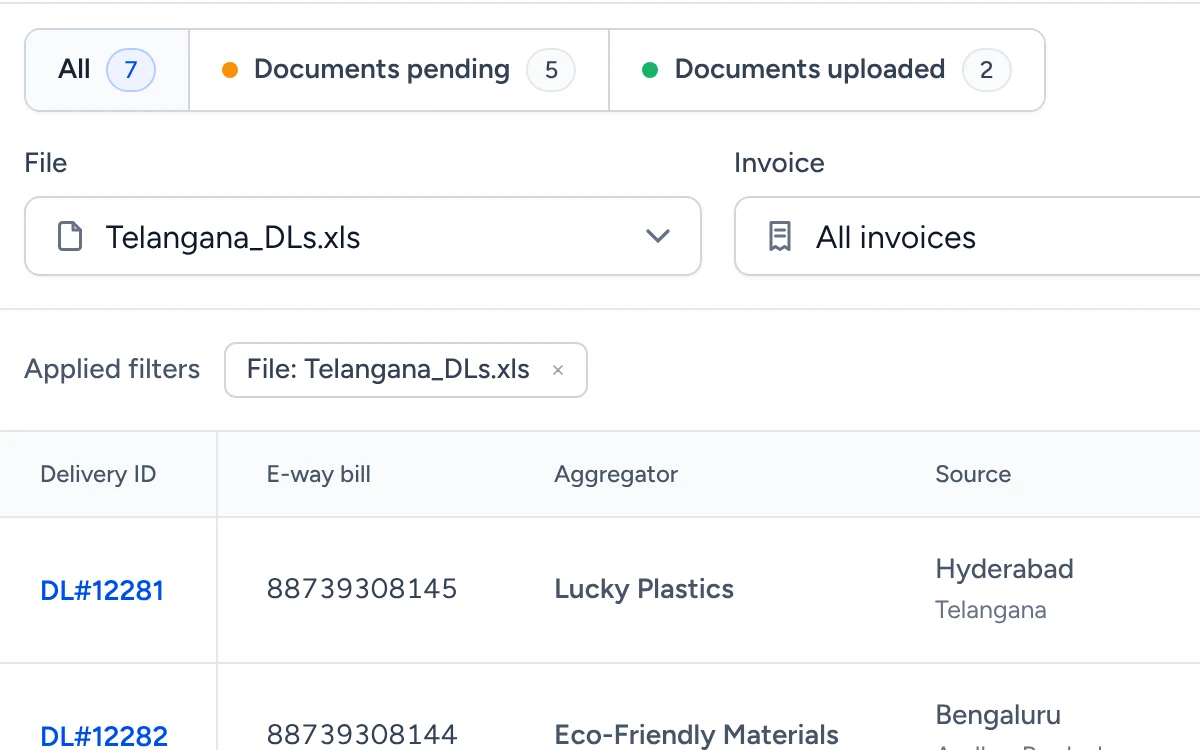
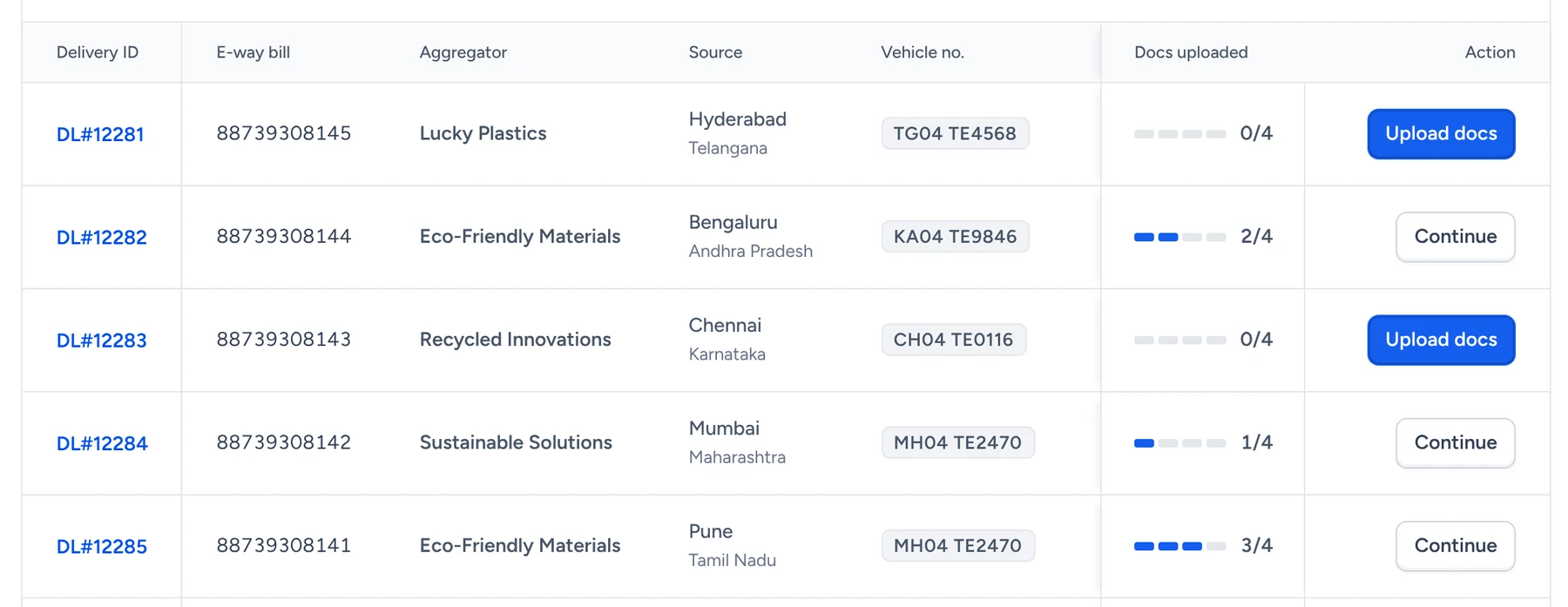
Every delivery, sorted by what it needs next.

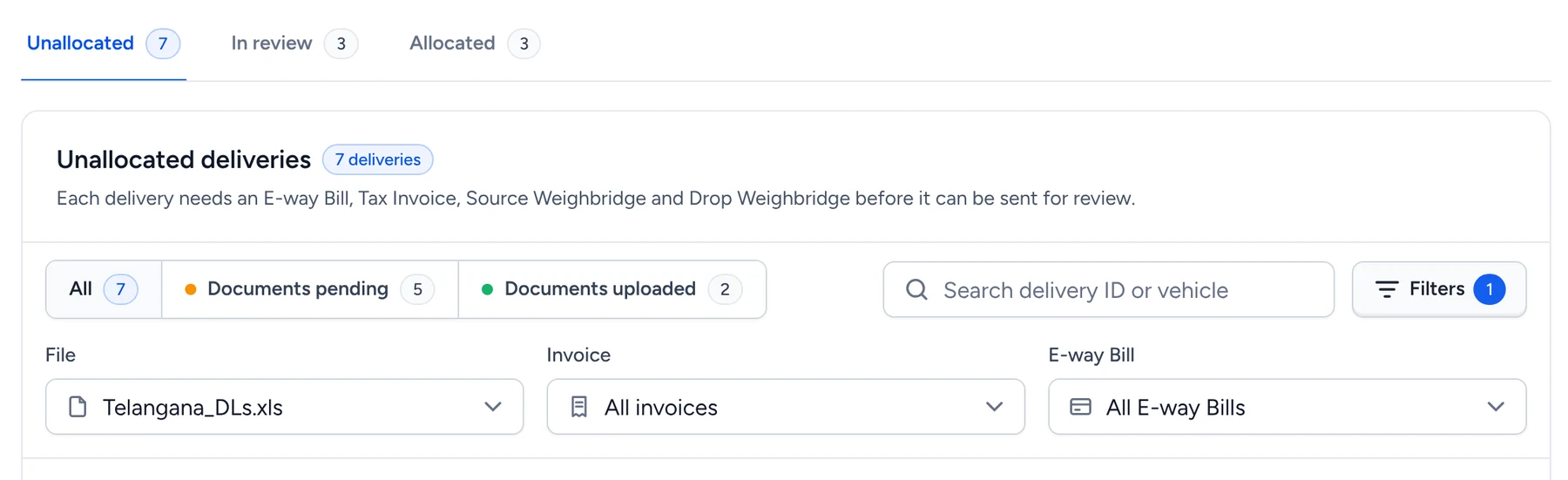
Status tabs and document filters replace a long flat list.
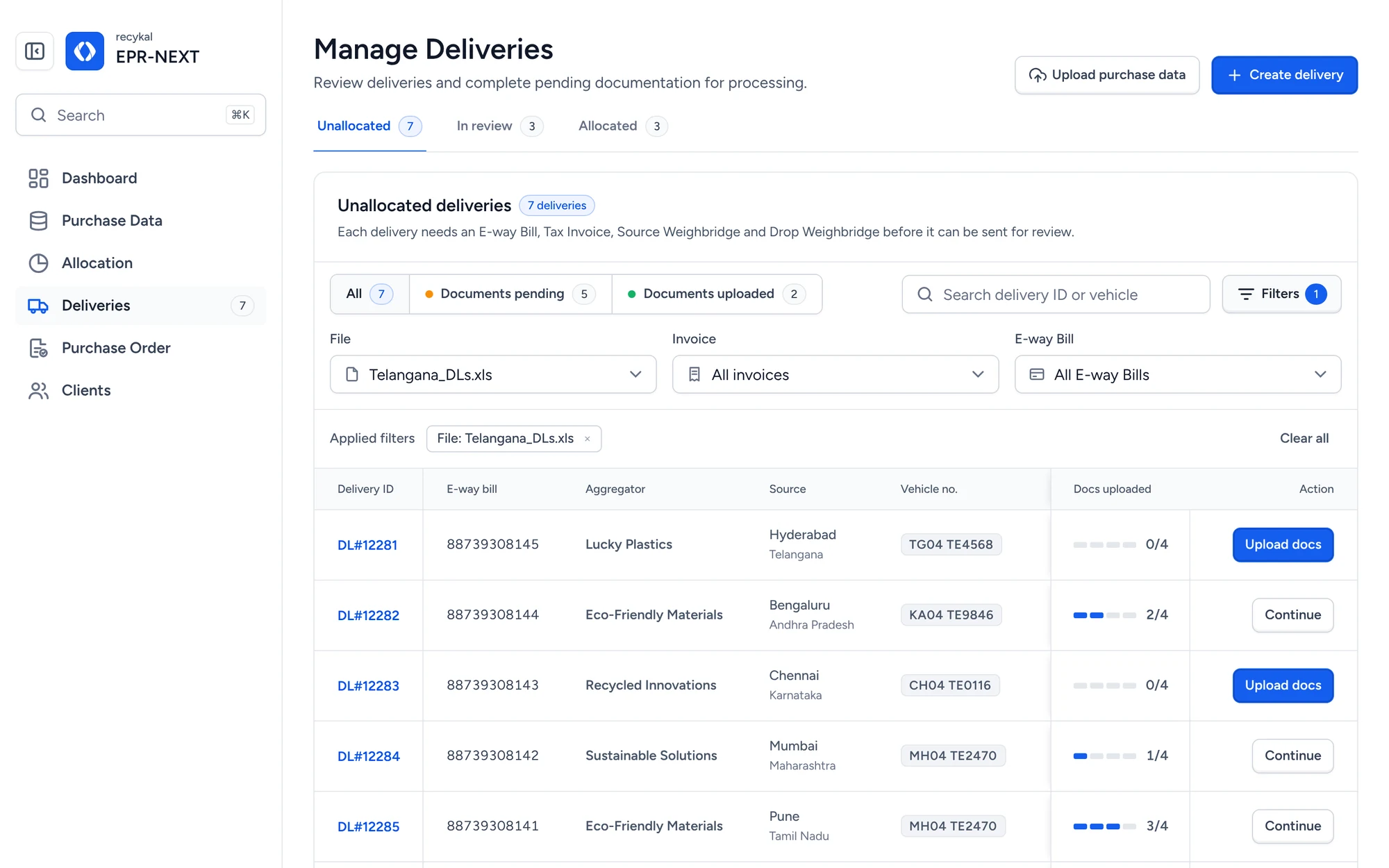
Manage Deliveries
Manage deliveries table with status tabs and filters
Unallocated, In review, Allocated
1
Unallocated, In review, AllocatedTabs follow the life of a delivery.
Pending or uploaded
2
Pending or uploadedSegments and filters show what is blocking review.
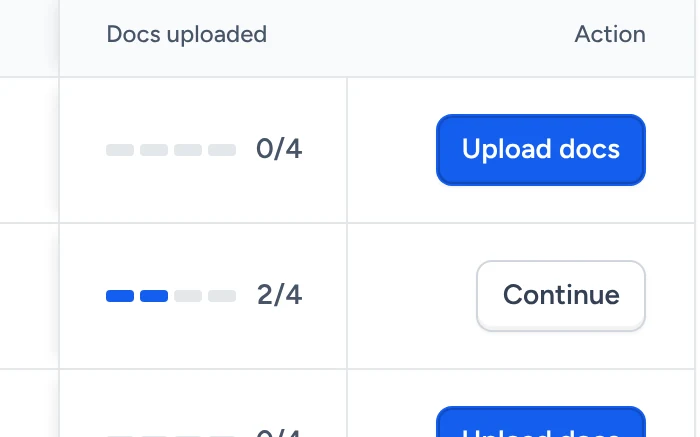
One clear next action per row
3
One clear next action per rowUpload docs, Continue or Send for review.
05

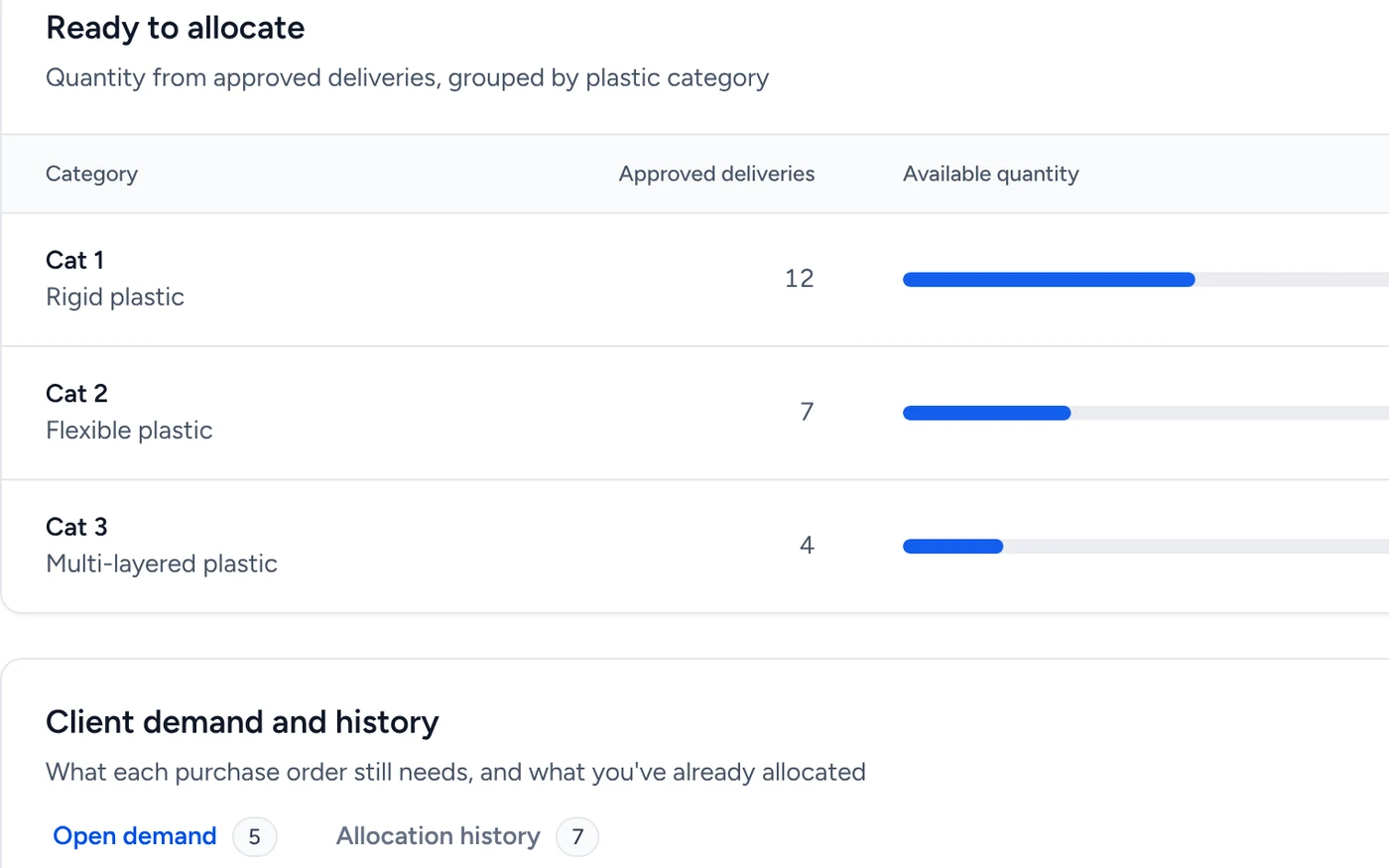
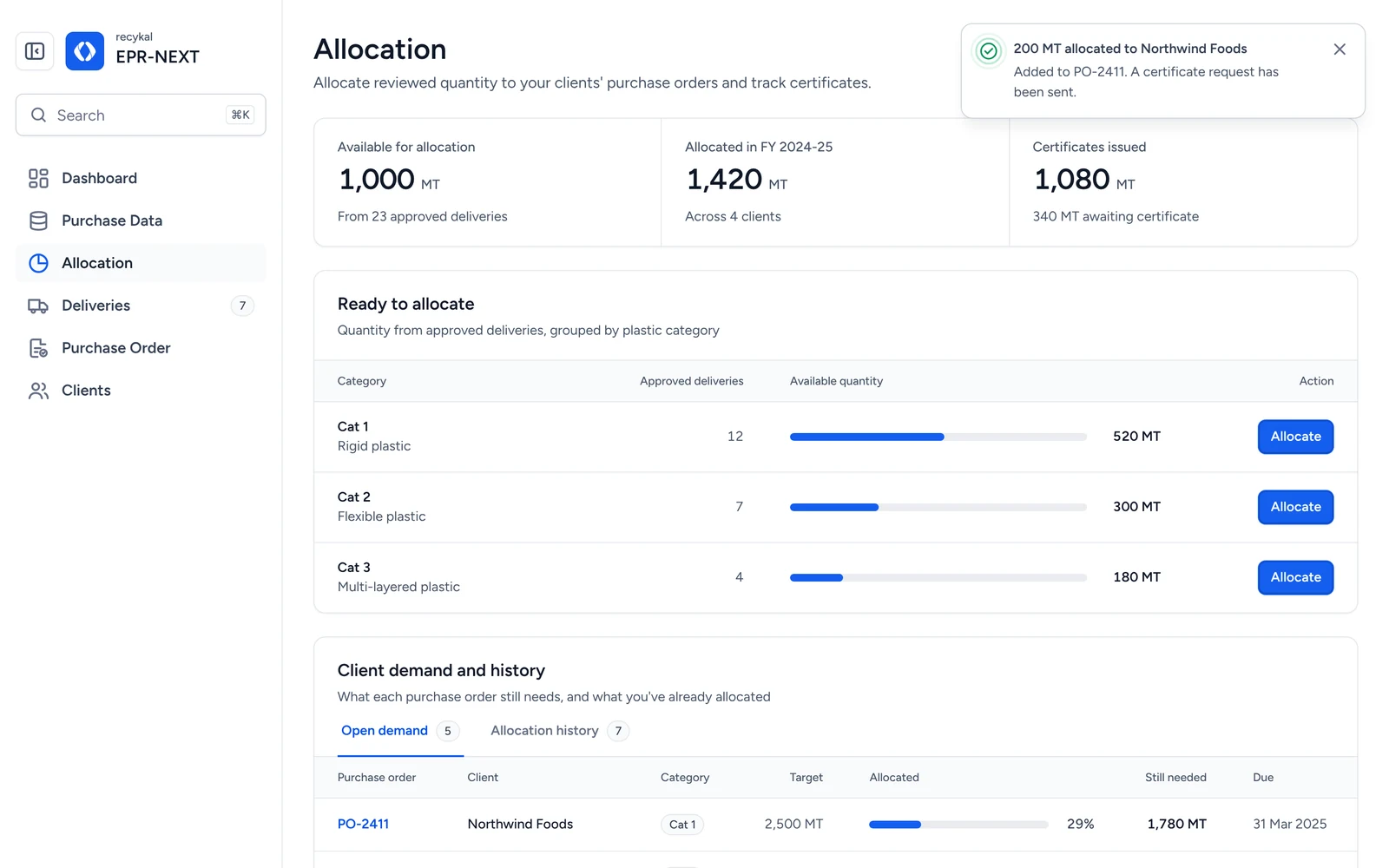
Turn approved tonnes into client credit.

Allocate reviewed quantity to brand purchase orders.
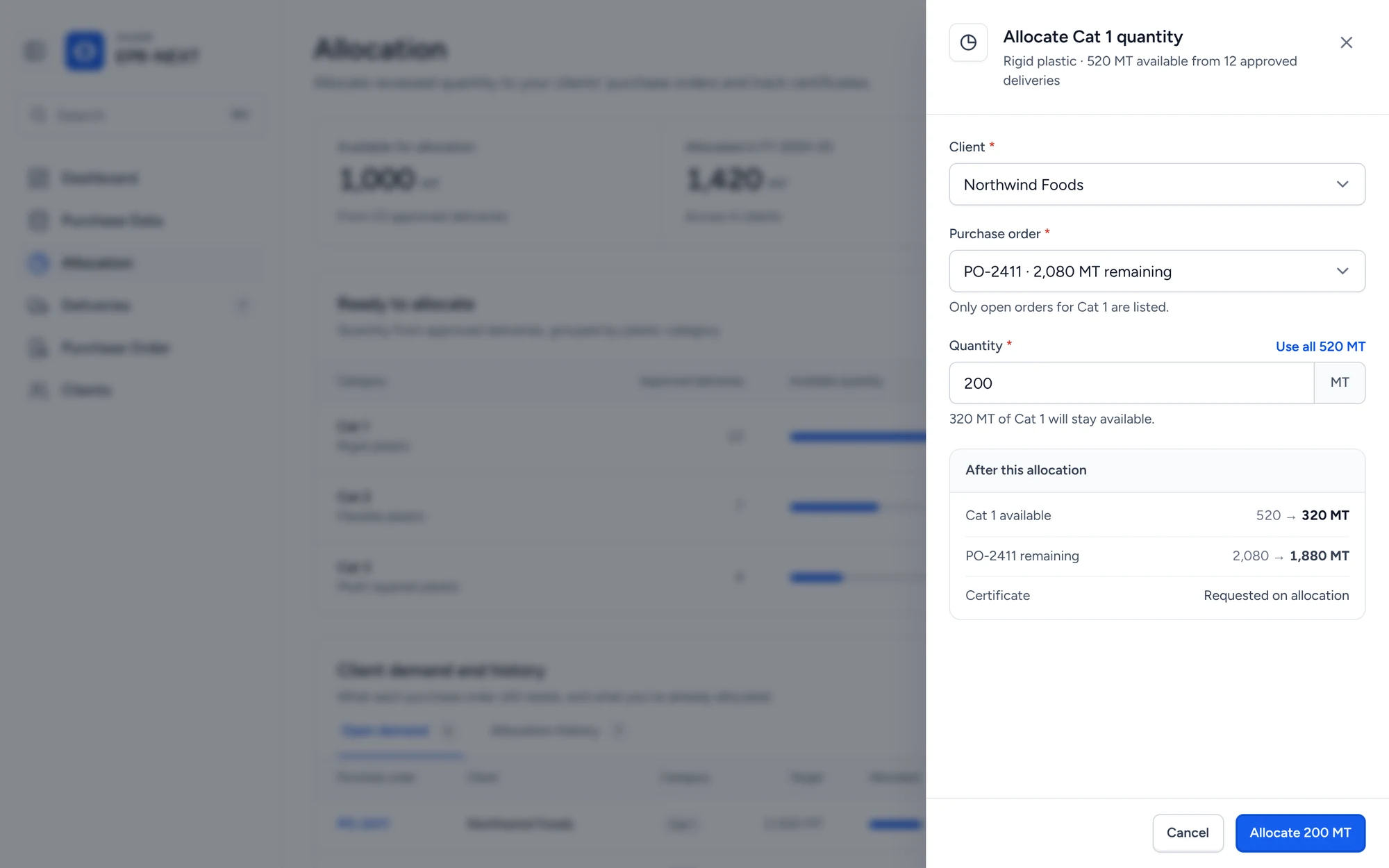
Allocation
Allocate panel with client, purchase order and quantity
Supply by category
1
Supply by categoryApproved quantity grouped the way brands buy it.
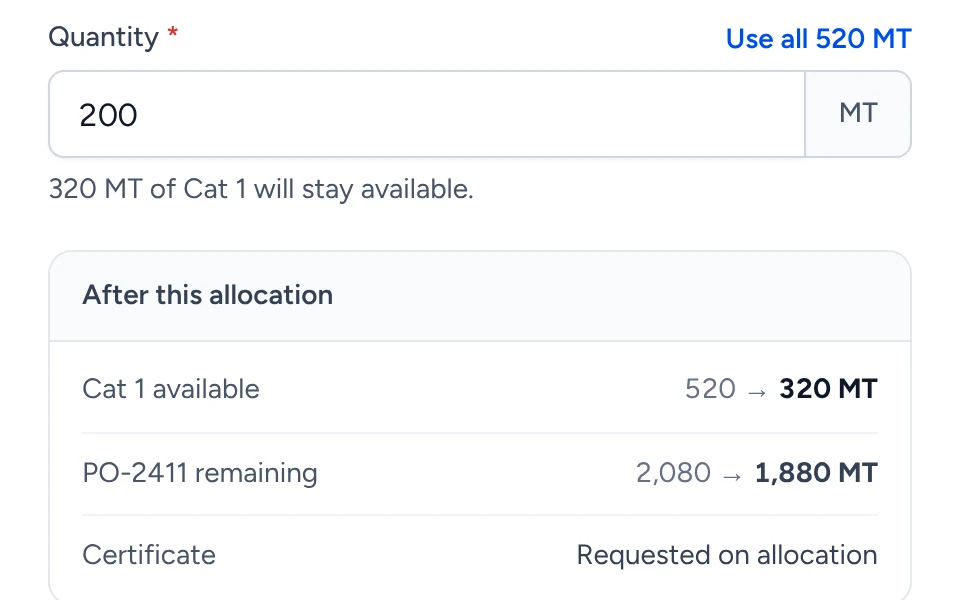
Preview before you commit
2
Preview before you commitRemaining supply and PO balance update live.
Certificate requested
3
Certificate requestedAllocation and certificate start in one step.
06 · Design choices

Small decisions that did the heavy lifting.
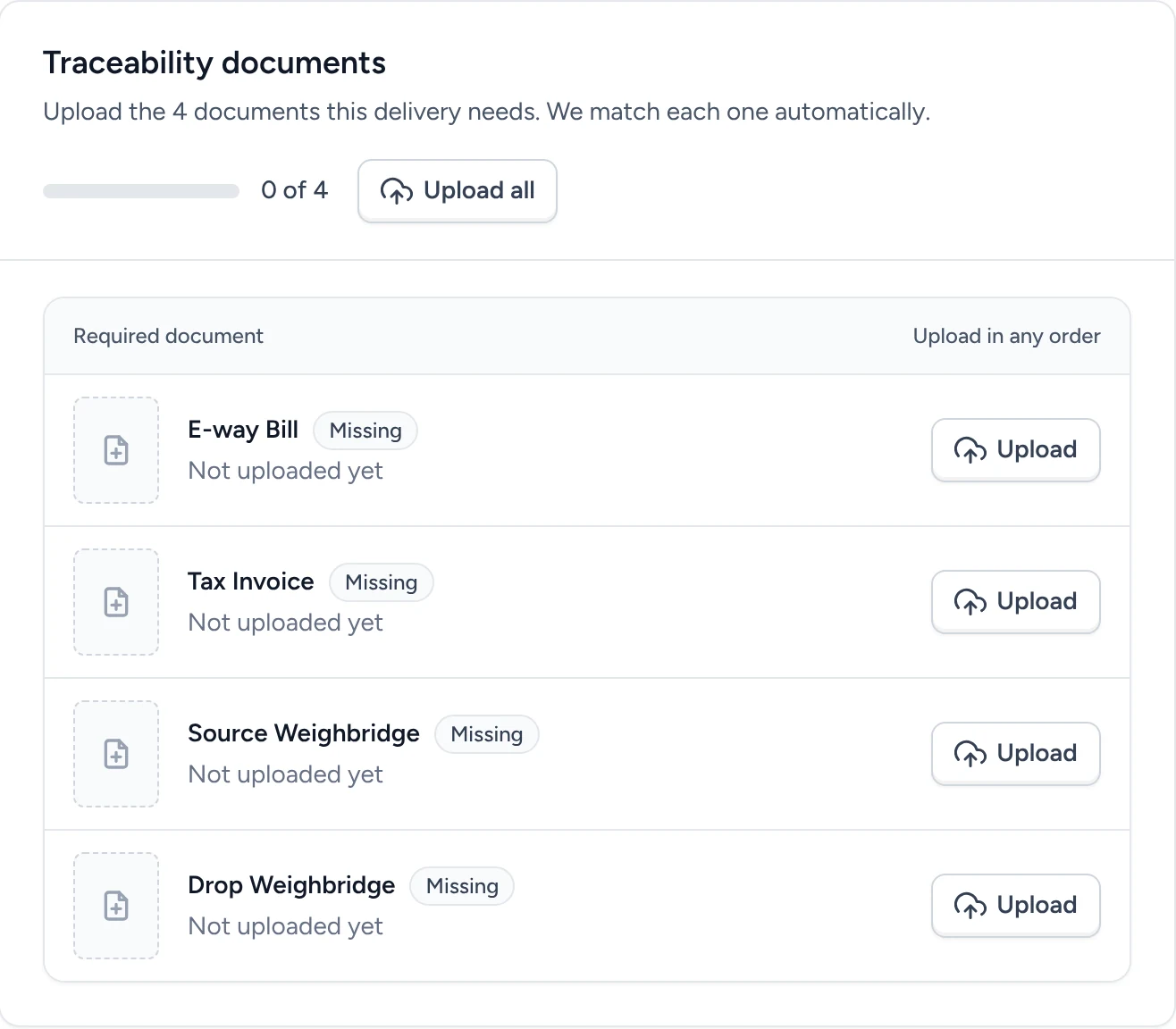
A checklist, not a stepper
01

A checklist, not a stepper

Instead ofA four step document wizard.BecauseDocuments arrive in any order. A stepper made a missing middle step look like an error.
Show where the machine is unsure
02

Show where the machine is unsure

Instead ofSilently filling every field.BecauseAmber fields with a reason mean people check two values, not twelve.
Tabs for status, filters for blockers
03

Tabs for status, filters for blockers

Instead ofOne table with summary cards on top.BecauseTabs mirror the delivery life cycle. Segments answer what is stopping review.
Pin what you act on
04

Pin what you act on

Instead ofA wide table that scrolls everything.BecauseDelivery ID and Action stay in view on smaller laptop screens.
Errors that tell you the fix
05

Errors that tell you the fix

Instead ofA generic invalid input message.BecauseEach message names the field and the rule, like 12 digits or a 6 digit pin code.
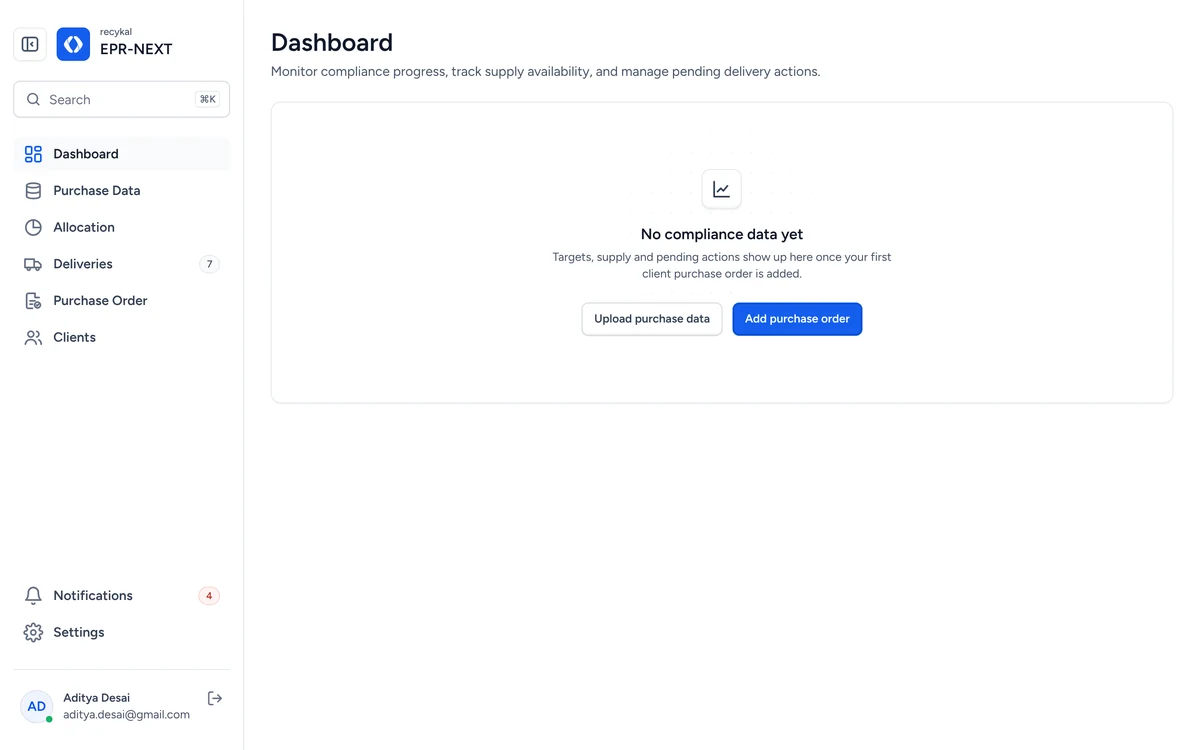
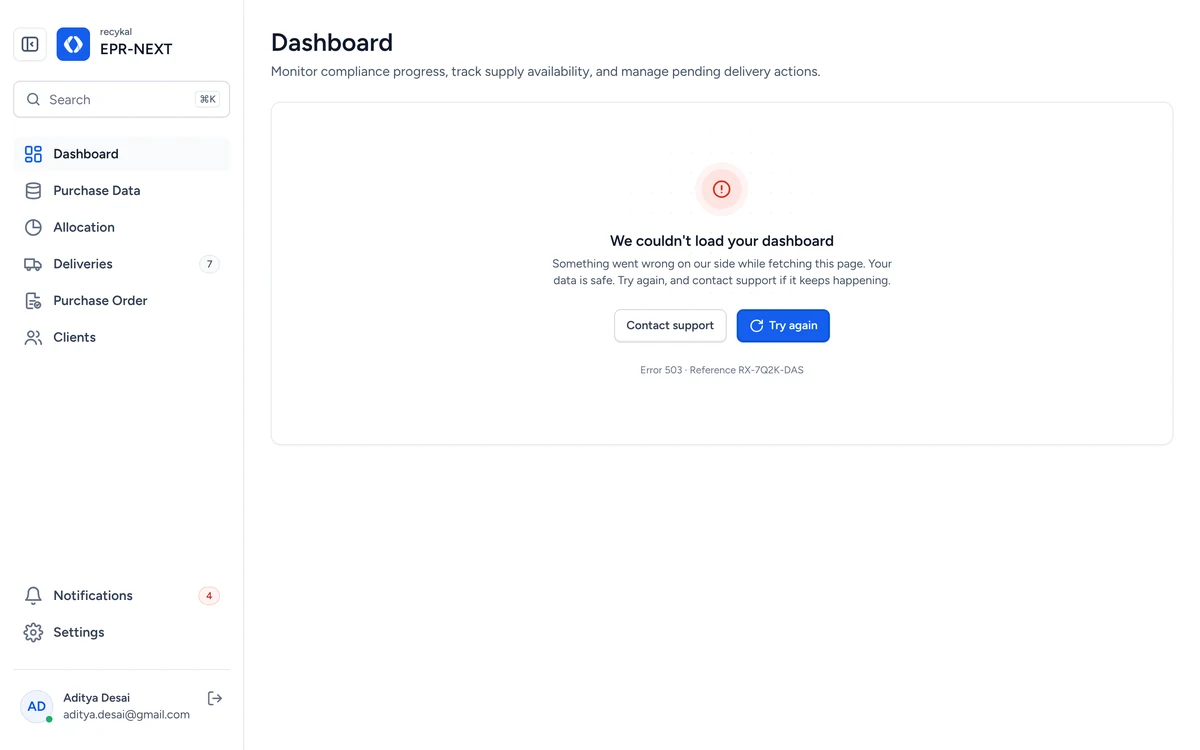
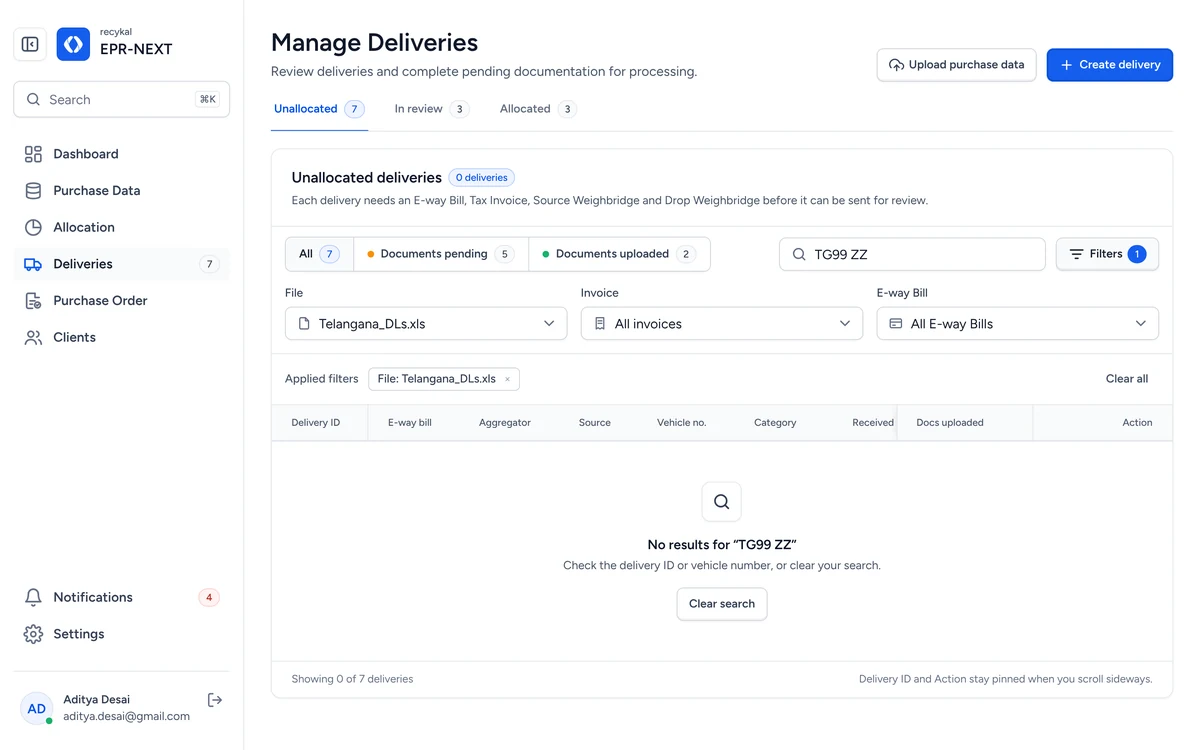
LoadingLoading
EmptyEmpty
ErrorError
OfflineOffline
No resultsNo results
Session expiredSession expired
06

Every state is designed

Instead ofDesigning only the happy path.BecauseEmpty, loading, error, offline and session states keep trust when things go wrong.
07 · System

Built on a system, not a pile of screens.

One type family, one blue, four semantic tones. Every screen and every state is assembled from the parts below.

Type · Figtree
Page title30 / 38 SemiBold
Card title18 / 28 SemiBold
Input value16 / 24 Regular
Label and table text14 / 20 Medium
Table header, badge12 / 18 Medium
Color · meaning first
BrandActions, focus
Gray 900Headings
Gray 600Body text
SuccessMatched, issued
WarningCheck this
ErrorBlocked
Shape and depth
8 px · inputs, buttons
12 px · cards
Overlay · toasts, panels
4 px spacing scale
Buttons
Use all 520 MT
Badges
MatchedCertificate issuedLow confidenceDocs pendingCouldn't readIn reviewNewMissingCat 14
Inputs · five states
Check it against the document.
Enter a 6 digit pin code.
With unit
18,000Kg
Select, date and search
Cat 2 · Flexible plastic
Cat 1 · Rigid plastic
Cat 2 · Flexible plastic
12/12/2024
Search⌘K
Navigation
Unallocated8In review3Allocated3
AllDocs pendingDocs uploaded
Manage DeliveriesDL#12281
Deliveries8Allocation
Selection
Deliveries that need changesIn app
File processing finishedEmail
Feedback
Ready to create. Upload its 4 documents later.
2 fields need review. Read with low confidence.
6 fields need attention. Fix them to create this delivery.
DL#12288 createdUpload its 4 documents to send it for review.
Progress and files
2/4 documents
520 MT
XLS
Telangana_DLs.xls70%
AD
Aditya DesaiAdmin
Table · pinned ID and action
Delivery IDAggregatorVehicle no.Docs uploadedActionDL#12288NewGreen Loop TradersTG08 TE22310/4Upload docs
08 · Impact

What changed on the recycler's floor.

37 minSaved on every delivery45 minutes of entry down to 8.
133 daysBack per brand, every yearA 10 person team at 8 hrs a day: 152 days of entry down to 19.
24Fewer fields per truck36 down to 12. Less to type, less to get wrong.
11Fewer documents per truck15 down to 4, uploaded in any order.
1 uploadFor a whole sheet of deliveriesReplaces one form per invoice row.
4 of 4Documents tagged automaticallyPeople only check what OCR is unsure of.
09 · Learnings

What I'm taking to the next product.

01
Reduce before you automate.Cutting 36 fields to 12 did more than any model.
02
Automation should assist, not replace.People trust it when they can see and correct it.
03
Design around the existing habit.Recyclers already lived in Excel, so we started there.
04
Confidence is a UI element.Showing doubt tells people exactly where to look.